The contour level acts as a density threshold to filter out potential noise in the map.
The recommended contour level can be found in the EMDB database (if provided) or determined based on one's own experience when EMDB does not specify density map information.
By default, the contour level is set to 0, but users can adjust it by entering a different value in the input box based on the recommended value from EMDB (as shown in the figure: in the density map, click Validation, and the Recommended contour level can be found under Map parameters).
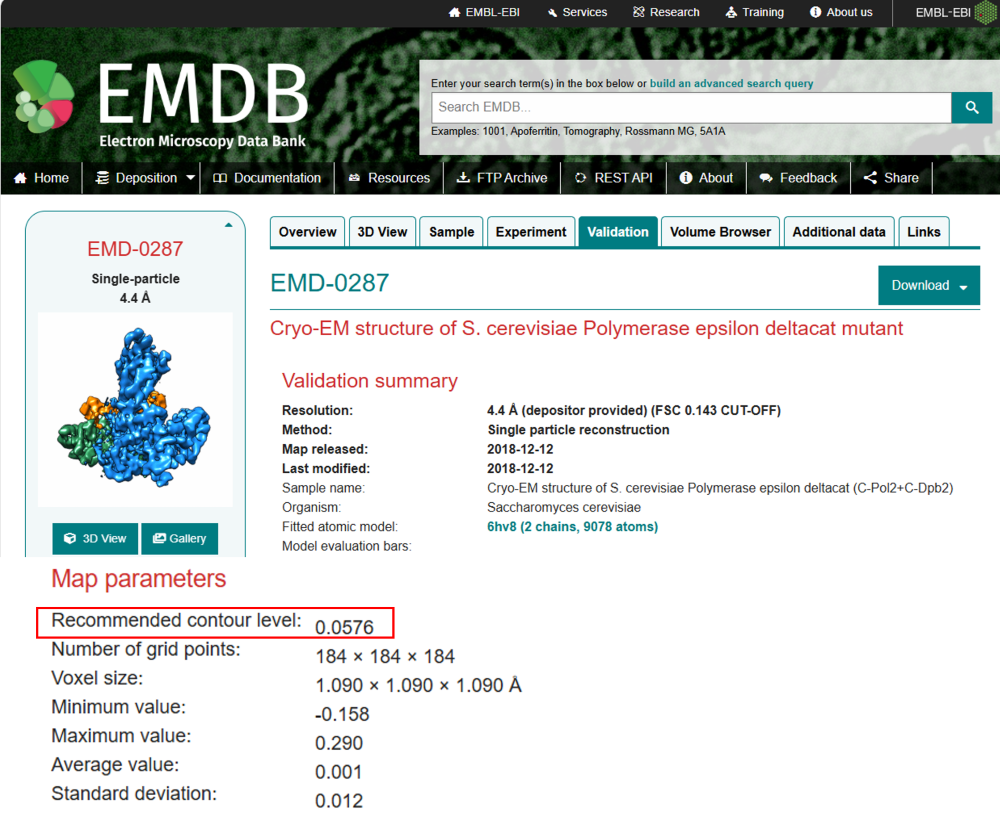
Figure 1. The recommended contour level can be found in the EMDB database, and the red box showing the recommended contour level for EMD-0287.
 163.com